


Tax Season 2026 - All you need to know
Common filing mistakes to avoid when filing your individual annual Income Tax Return.
On this page:
1. Incorrect or unsupported employment expense claims
❌ I can claim expenses such as meals and transport expenses between my home and workplace as employment expenses and base my expense claims on estimates even if I do not have supporting records.
Employment expenses are expenses that are 'wholly and exclusively' incurred in the production of your employment income in Singapore.
Examples of non-allowable employment expenses include:
- Personal meals, housing rent, subscription fees, and phone or internet bills;
- Public transport expenses for travel between home and the workplace;
- Private car expenses (i.e. for cars with licence plates starting with “S”), even if the car is used for work purposes; and
- Purchases of electronic devices, such as mobile phones and computers, for work purposes.
Taxpayers should retain relevant supporting documents, such as receipts and invoices, to substantiate your claims and produce them when requested by IRAS. Claims based on estimates are not acceptable.
If your employment expense claims are incorrect or not supported by proper records, you are required to adjust or withdraw your claims through the following channels:
- To adjust or withdraw your claims: Use the 'Amend Tax Bill' digital service on myTax Portal.
- To withdraw all your claims: Submit the 'Withdraw Employment Expense Claims' FormSG.
- If you need to adjust your claims but are unable to use the ‘Amend Tax Bill’ digital service: Chat with us for assistance.
You are responsible for ensuring that your tax declarations are accurate. False, incorrect, and unsupported claims may result in additional tax and penalties of up to three times the tax undercharged. Individuals charged in court may also face a fine of up to $10,000 , imprisonment of up to three years, or both.
2. Not filing your Income Tax Return
a. No income to declare
❌ I received a notification informing me to file for the Year of Assessment. However, as I did not earn any income last year, I do not need to file an Income Tax Return.
For e-Filing:
You will need to log in to myTax Portal to submit your Income Tax Return by 18 Apr. An acknowledgement page will be displayed upon successful submission.
b. Employer is in the Auto-Inclusion Scheme for employment income
❌ My employer is sending my employment income details to IRAS. Therefore, I do not have to file my Income Tax Return.
Although your employer has sent your employment income details to IRAS, you are still required to file your Income Tax Return unless you have received the No-Filing Service (NFS) notification.
If you receive a letter or SMS informing you that you have been selected for the NFS, you are not required to file an Income Tax Return.
Your Notice of Assessment or tax bill (digital or paper format) will be sent to you from end Apr onwards. Your tax bill is computed based on your auto-included income and previous year's relief claims, which may be adjusted if you do not meet the eligibility criteria.
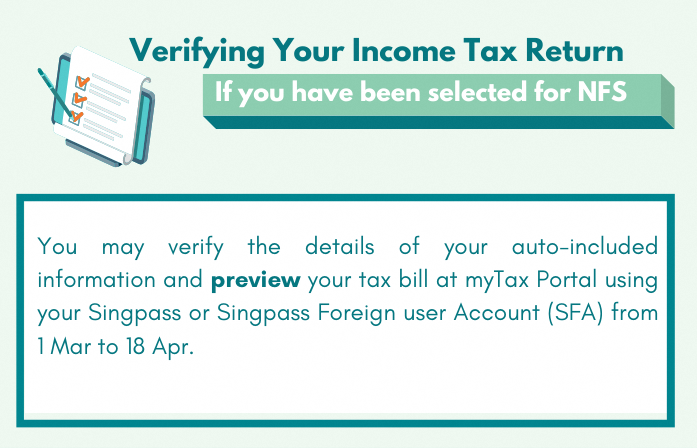
How can I verify that the information is correct before IRAS finalizes my tax bill?
What if I have changes to my income and personal relief claims
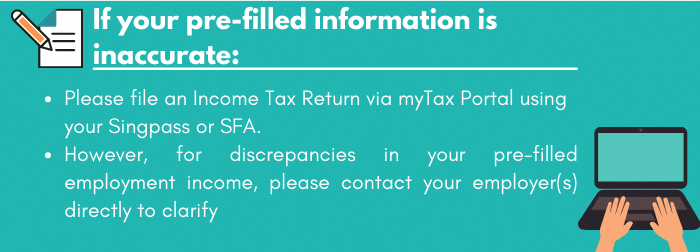
If your pre-filled information is inaccurate:
- Please fill an Income Tax Return at myTax Portal using your Singpass or Singpass Foreign user Account (SFA).
- However, for discrepancies in your pre-filled employment income, please contact your employer(s) directly to clarify.
What should I do after receiving my tax bill?
You need to check your tax bill to ensure that it is correct. If you have any other income that is not shown in the tax bill, or your relief claims in the tax bill are incorrect, you may use 'Amend Tax Bill' digital service at myTax Portal within 30 days from the date of your tax bill.
For non-resident individuals, please submit the details of your amendments via email.
You may refer to the Frequently Asked Questions (FAQs) (PDF, 167 KB) for more information on NFS.
3. Wrong declaration of trade or business income
I am a:
- Commission agent (e.g. insurance agent, real estate agent)
- Hawker
- Private tutor
- Taxi driver, Grab/Uber driver
❌ I declare my income as ‘Employment’ or ‘Other Income’ in my annual Income Tax Return.
You are considered a self-employed person.
For e-Filing:
You should declare your income as trade income under the item on "Trade, Business, Profession or Vocation".
For paper filing:
- Form B: You should complete items "Revenue", "Gross Profit/Loss", "Allowable Business Expenses" and "Adjusted Profit/Loss" of Form B.
- Form B1: You should complete item "Trade, Business, Profession or Vocation" of Appendix 1 and "Other Income" of Form B1.
4. Incorrect relief claims
❌ Since I have claimed reliefs last year, I do not have to claim them again. The reliefs will be automatically included in my future assessments.
Tax reliefs and rebates are allowable if you are a Singapore tax resident and have met the qualifying conditions. Please ensure that all qualifying conditions of the tax reliefs and rebates are met before making a claim.
For e-Filing:
You need not claim the reliefs shown in the “Deductions, Tax Reliefs and Rebates” section as they will be automatically included in your tax bill.
If you have any changes to the pre-filled deductions and reliefs or wish to claim new reliefs/Parenthood Tax Rebate, update them under the “Deductions, Tax Reliefs and Rebates” section before submitting your tax return.
For paper filing:
You still need to claim reliefs and enter the amount of claim even if this amount remains unchanged from last year.
5. Wrongful claim for CPF contributions for self-employed
❌ I have contributed CPF as a self-employed person last year. Thus, I should indicate the amount contributed in my Form B so as to qualify for the relief.
CPF Relief for a self-employed is allowed automatically based on information received from CPF Board. You need not make a claim.
Self-employed CPF Relief will be allowed if:
- you have an assessable trade income
- you are making the contribution as a self-employed person
- your contribution was made before 31 Dec of the preceding year.
6. Submitting documents not requested for
❌ I declared rental income and claimed the actual expenses. Thus, I submitted documents to substantiate my rental expense claims.
You need not submit any documents unless you are advised to do so. The documents you need to submit will be listed in the acknowledgement page. Please send in the documents via email.
7. Not clicking “Submit Income Tax Return” button
❌ I exited from e-Filing after checking that the details in the Consolidated Statement in My Tax Form are correct and did not receive any acknowledgement.
You need to click the "Submit" button at the Consolidated Statement to complete your e-Filing.
An acknowledgement page will be displayed upon successful submission. If you do not see an acknowledgement page, it means that you have not successfully e-Filed your Income Tax Return.
8. Made errors in my declaration
❌ I submitted my Income Tax Return without including my relief claim for my newborn which was not prefilled.
If you filed a paper Income Tax Return or are unable to re-file online: Please file an amendment upon receiving your tax bill for the current Year of Assessment. You may file the amendment via the 'Amend Tax Bill' digital service at myTax Portal within 30 days from the date of your Income Tax bill.